HR software
HR software for your people, leave, attendance and payroll
Keep employee records, approve leave, track attendance and run monthly payroll from the same data, with a self-service portal where staff sign in without a CRMSix licence. Built for India’s PF, ESI and TDS, and ready for any country.
HR is an add-on to CRMSix. Ask us to turn it on for your organization.
HR features
Everything HR runs on, in one app
An HRMS that covers the whole employee lifecycle, so HR stops copying names between spreadsheets, payroll files and email.
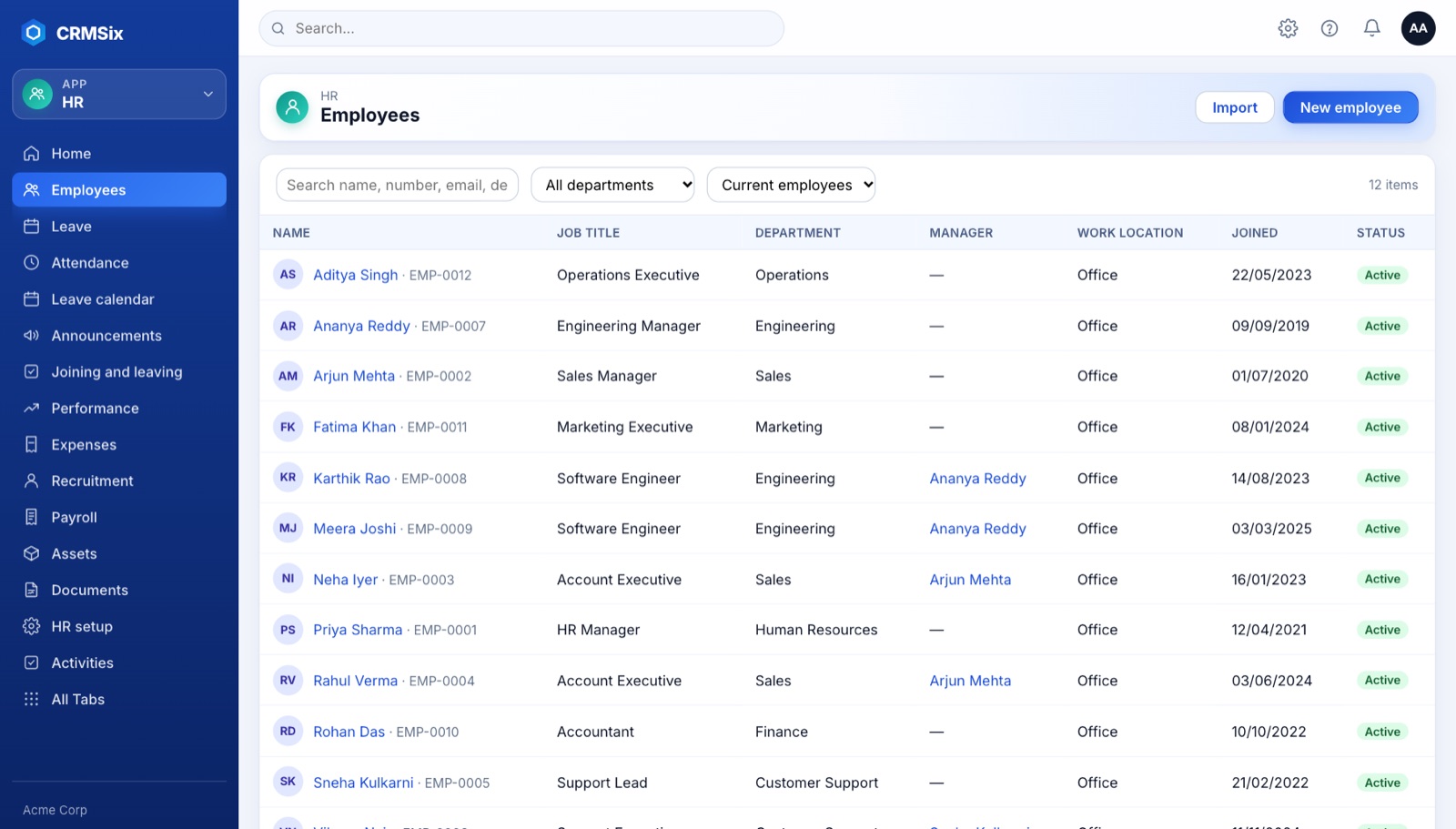
Employee records
Departments, job titles and managers, personal and bank details, documents with expiry reminders, and a history of every transfer and promotion. Import everyone from a spreadsheet.
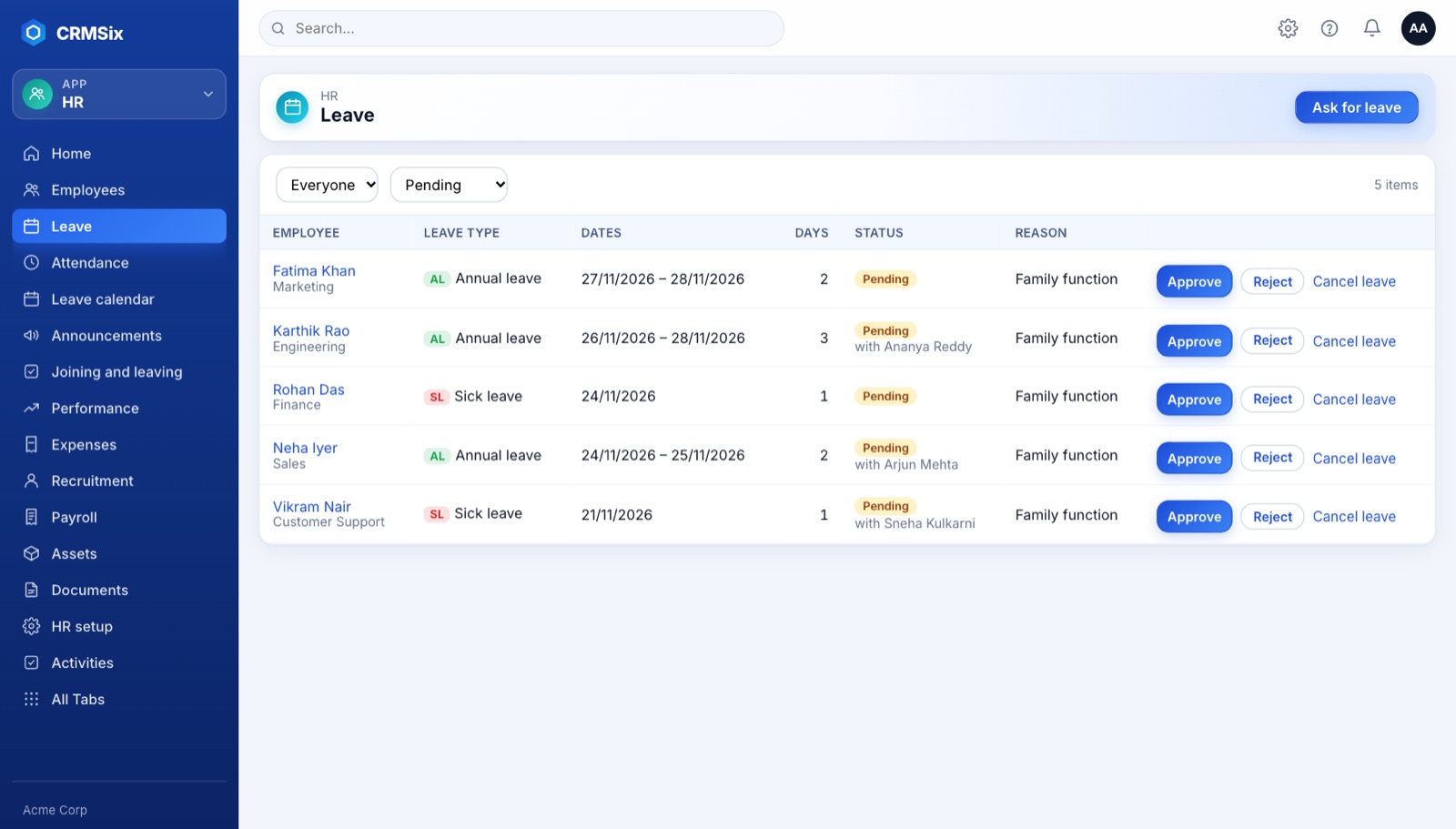
Leave management
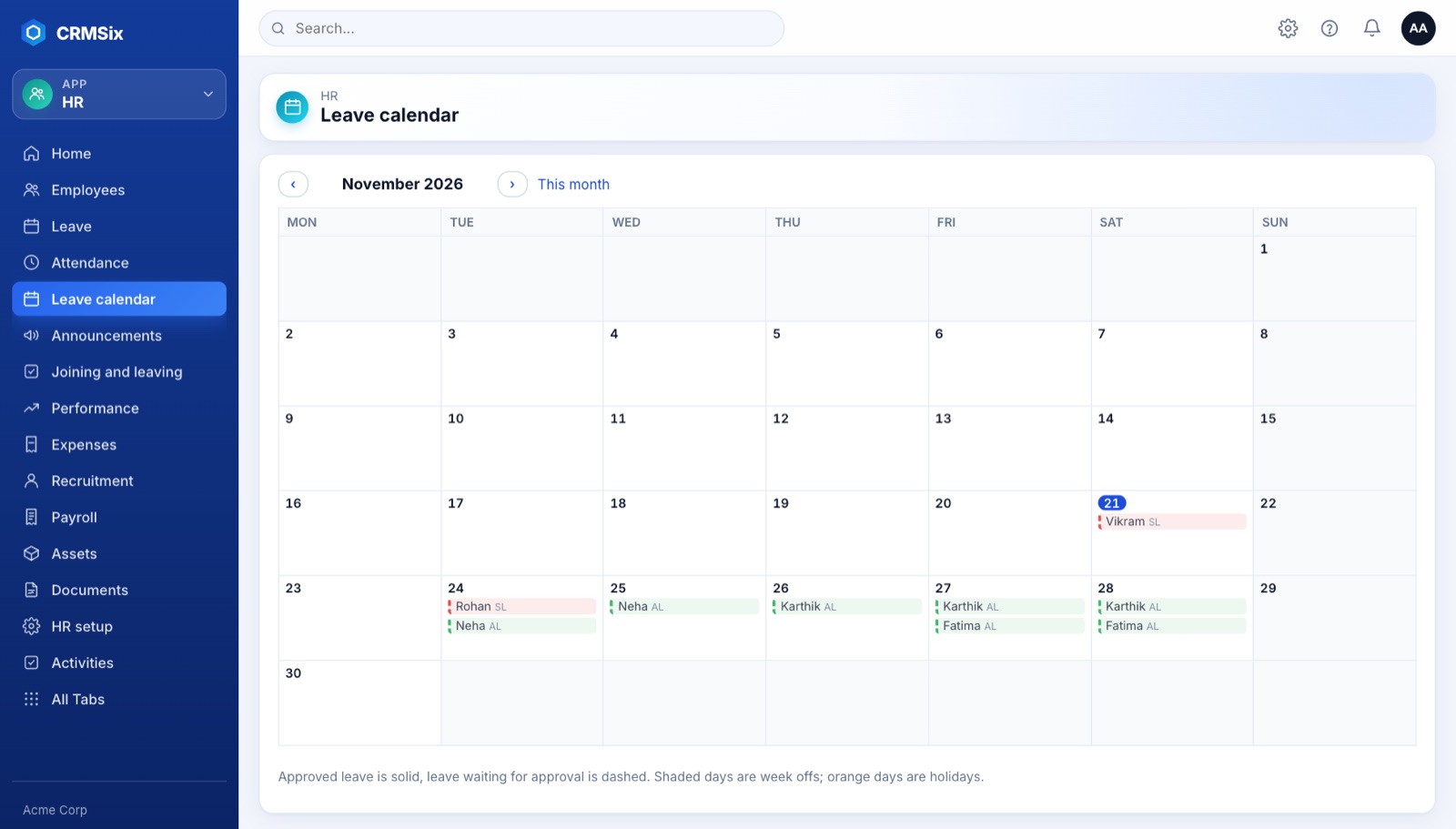
Leave types credited yearly or monthly, carry forward, half days, holidays and week offs. Requests go to the manager to approve, and a leave calendar shows who is away.
Attendance and shifts
Check in from anywhere, only from the office network, or only near an office. Shifts, a roster, late marks, overtime, comp off and corrections, with a monthly report for payroll.
Payroll
Earnings and deductions, salaries and revisions, and a monthly pay run that takes loss of pay from leave and attendance. Payslips as PDFs, a bank transfer file and arrears worked out for you.
Recruitment and offers
Jobs on your own careers page, applications with CVs, a hiring pipeline, interviews with calendar invitations, and offer letters candidates accept online. Hiring makes them an employee.
Employee self-service
A portal where staff ask for leave, check in, download payslips, claim expenses, raise HR requests and see announcements, birthdays and holidays, without a CRMSix licence.
Onboarding and exits
Joining and leaving checklists with tasks for HR, the manager, IT and the employee, resignations with manager approval, and relieving and experience letters.
Performance
Goals with weights, review cycles with self, manager and HR reviews, feedback, development plans and goal templates for common roles. A raise from a review updates the salary.
Expenses, advances and assets
Expense claims with receipts and two-step approval, salary advances and loans recovered from pay, and a register of laptops, phones and cards with who holds each one.
Hire to retire
One record from the job offer to the last payslip
Each step uses what the last one recorded: an accepted offer sets the joining date and salary, approved leave becomes loss of pay, and the exit works out the settlement.
- HireCareers page, pipeline, interviews and offers
- OnboardJoining checklist and portal invitation
- WorkLeave, attendance, shifts and HR requests
- PayMonthly pay run, payslips and statutory files
- GrowGoals, reviews, feedback and raises
- ExitResignation, checklist and full and final settlement
Leave and attendance
Leave approved in a click, attendance ready for payroll
- Requests go to the right person. The employee’s manager approves or rejects from the HR app or the portal, and HR steps in when there’s no manager.
- Only working days count. Week offs and holidays inside the dates are left out, and balances can’t go below zero unless the leave type allows it.
- Attendance where you want it. Check-in from anywhere, only from the office network, or only within a distance of an office.
- Payroll picks it up. Unpaid leave, absent days and half days become loss of pay in the month’s pay run.
Payroll software for India
Indian payroll and compliance, worked out every month
Set the payroll country to India and each pay run follows the rules below. Elsewhere, you set up your own earnings and deductions in your currency.
PF, ESI and professional tax
Provident fund at 12% of Basic up to the wage ceiling, ESI for eligible employees, and professional tax by state, with standard slabs for Karnataka, Maharashtra, Telangana, Andhra Pradesh, Gujarat and West Bengal.
Income tax (TDS)
TDS projected over the financial year under the old or new regime. Employees choose their regime, declare investments and rent in the portal, and download a salary and tax statement.
Statutory files
The PF ECR file for the EPFO portal, ESI contributions, professional tax by state and the month’s TDS for your quarterly 24Q return, from each finalized pay run.
Full and final settlement
Leave encashment, gratuity after 4 years and 240 days of service, notice period shortfall and recovery of advances and loans, saved as a PDF with relieving and experience letters.
Employee self-service
A portal for every employee, without a licence each
- Leave and attendance: balances, requests, check-in and corrections.
- Pay and tax: payslips, tax regime, investment declarations and a salary and tax statement.
- Requests: HR requests, expense claims, salary advances and resignations.
- Company news: announcements, holidays, birthdays and work anniversaries.
- For managers: approve the team’s leave, corrections and resignations, and see who’s away.
HR and CRM together
Part of the same CRMSix as your sales and service teams
HR requests become cases
Questions from the portal land in your HR queue as private cases, with the same milestones and workflow rules your service team uses.
Tasks where people already work
Managers who use CRMSix get their approvals as tasks; those who don’t get an email and approve in the portal.
Privacy built in
Personal, identity and bank details are only for HR and the employee. Everyone else sees a directory of names, teams and work contacts.
FAQ
HR software questions
What is HR software?
HR software (also called an HRMS or HRIS) is where a company keeps its employee records and runs the work around them: leave, attendance, payroll, hiring, onboarding, reviews and exits. It replaces spreadsheets, email threads and paper forms with one system that employees, managers and HR all use.
Does CRMSix HR run payroll for India?
Yes. Set the payroll country to India and each monthly pay run works out provident fund, ESI, professional tax by state and income tax (TDS) under the old or new regime, from salaries, leave and attendance. It gives you payslips, a bank transfer file and the PF ECR, ESI, professional tax and TDS files, and works out full and final settlement with gratuity and leave encashment.
Can I use it outside India?
Yes. Employees, leave, attendance, recruitment, onboarding, performance, expenses, exits and the employee portal work the same in every country, in your organization’s currency. Outside India you set up payroll with your own earnings and deductions, as fixed amounts or percentages; no country’s tax rules are worked out for you.
Do employees need a CRMSix licence?
No. Staff who don’t use the CRM sign in to the employee portal with their own email and password, without a CRMSix licence. There they ask for leave, check in, download payslips, claim expenses, make their tax declaration, raise HR requests and, if they manage people, approve their team’s requests.
How do I move our employees in?
Import them from a spreadsheet saved as CSV, up to 1,000 employees a file. CRMSix matches columns such as Emp Code, Designation or Date of Joining to its fields, checks every row before anything is saved, and adds new departments and job titles as it goes. Importing the same file again updates the people already there.
Who can see personal and bank details?
Only people with the Manage HR permission and the employee themselves. Everyone else sees the directory: names, departments, job titles, managers and work contacts. For an Aadhaar number, CRMSix keeps only the last four digits.
How do I get the HR app?
HR is an add-on to CRMSix. Book a demo or ask us to turn it on for your organization, and it appears in the app switcher next to Service and Sales, on the same accounts, users and reports.
Related: All ten CRMSix apps · HR guide · Sales CRM · Customer service software · Security