Service
Cases from email, web forms and live chat, with queues, assignment rules, SLA milestones and escalations.
CRMSix brings support cases, live chat, knowledge, pipeline, quotes, invoices and forecasts into one fast, secure workspace, with workflow automation and AI assistants built in.
Free for 14 days, no credit card needed. Already a customer? Sign in at login.crmsix.com.
Integrations
Calendars and meetings, payments and tax, email, phone calls, sign-in and AI apps connect in Settings. A REST API and webhooks cover everything else.
Six things, done well
No bolt-ons and no separate tools to stitch together. Service and sales share the same accounts, contacts and history.
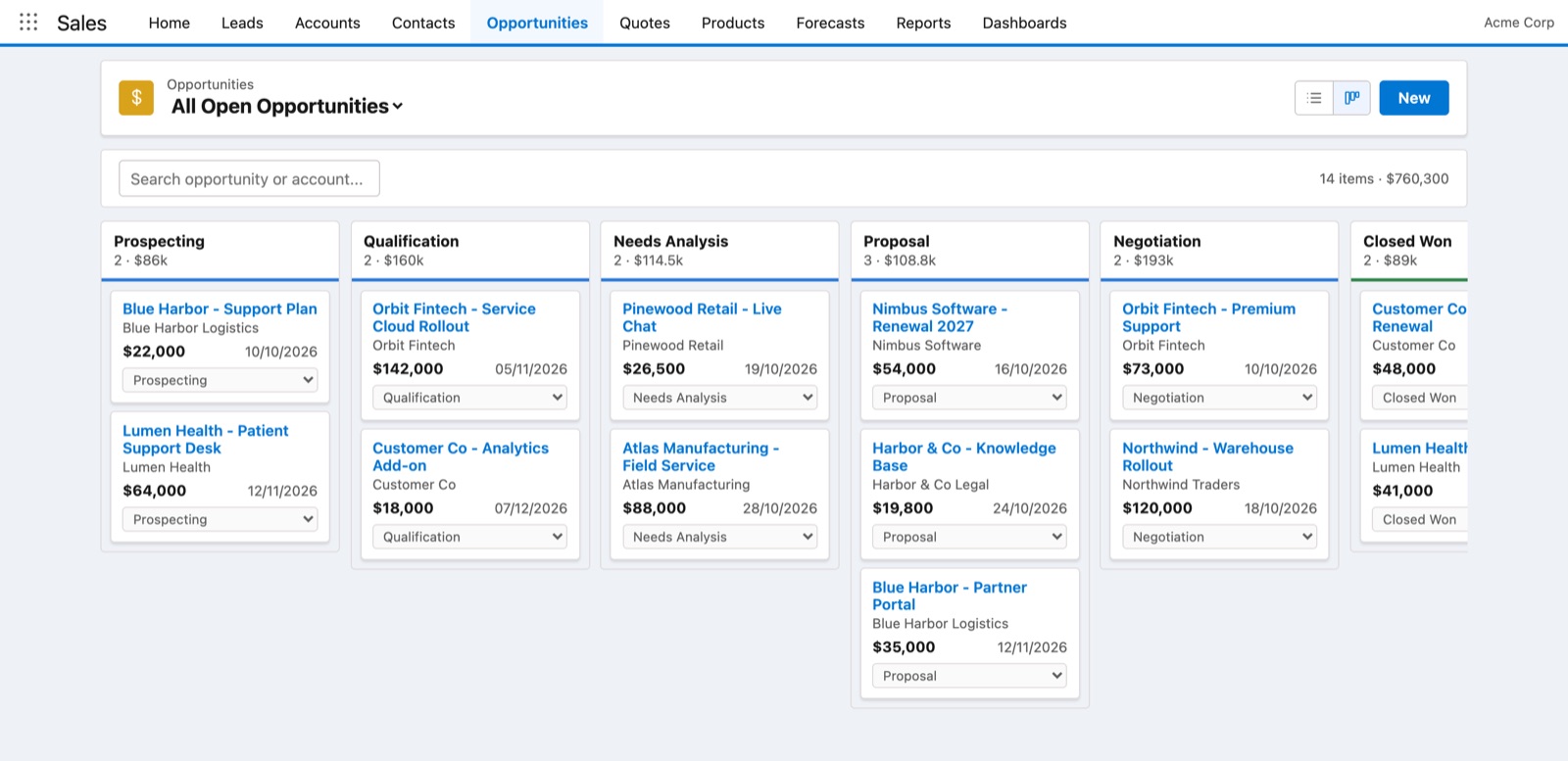
Cases from email, web forms and live chat, with queues, assignment rules, SLA milestones and escalations.
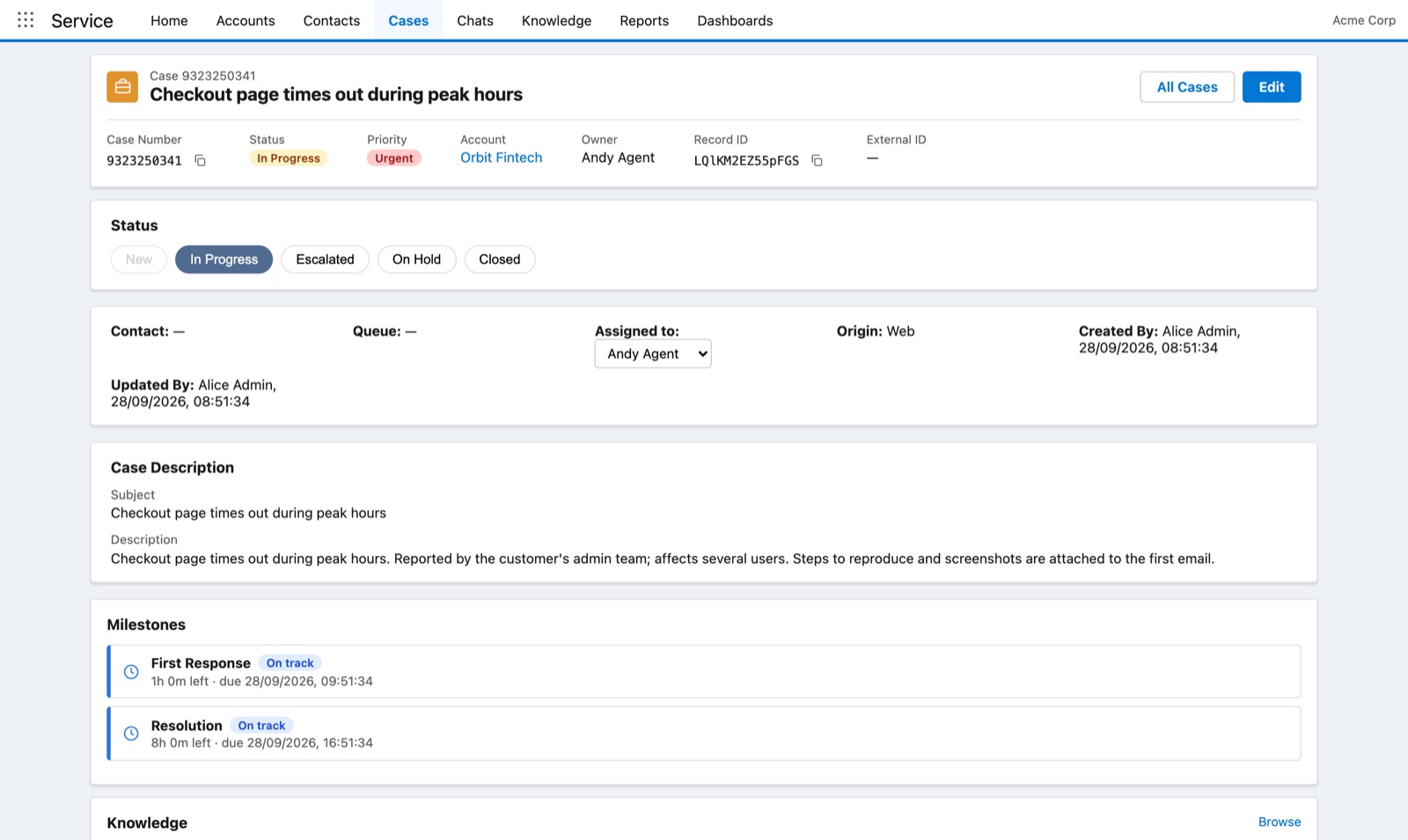
Leads, a drag-and-drop pipeline, quotes customers sign online, orders, invoices with online payments, and forecasts.
Articles your agents attach to cases, and a public help center customers can search before they ask.
Workflow rules, formula fields and validation rules, so the busywork happens on its own and data stays clean.
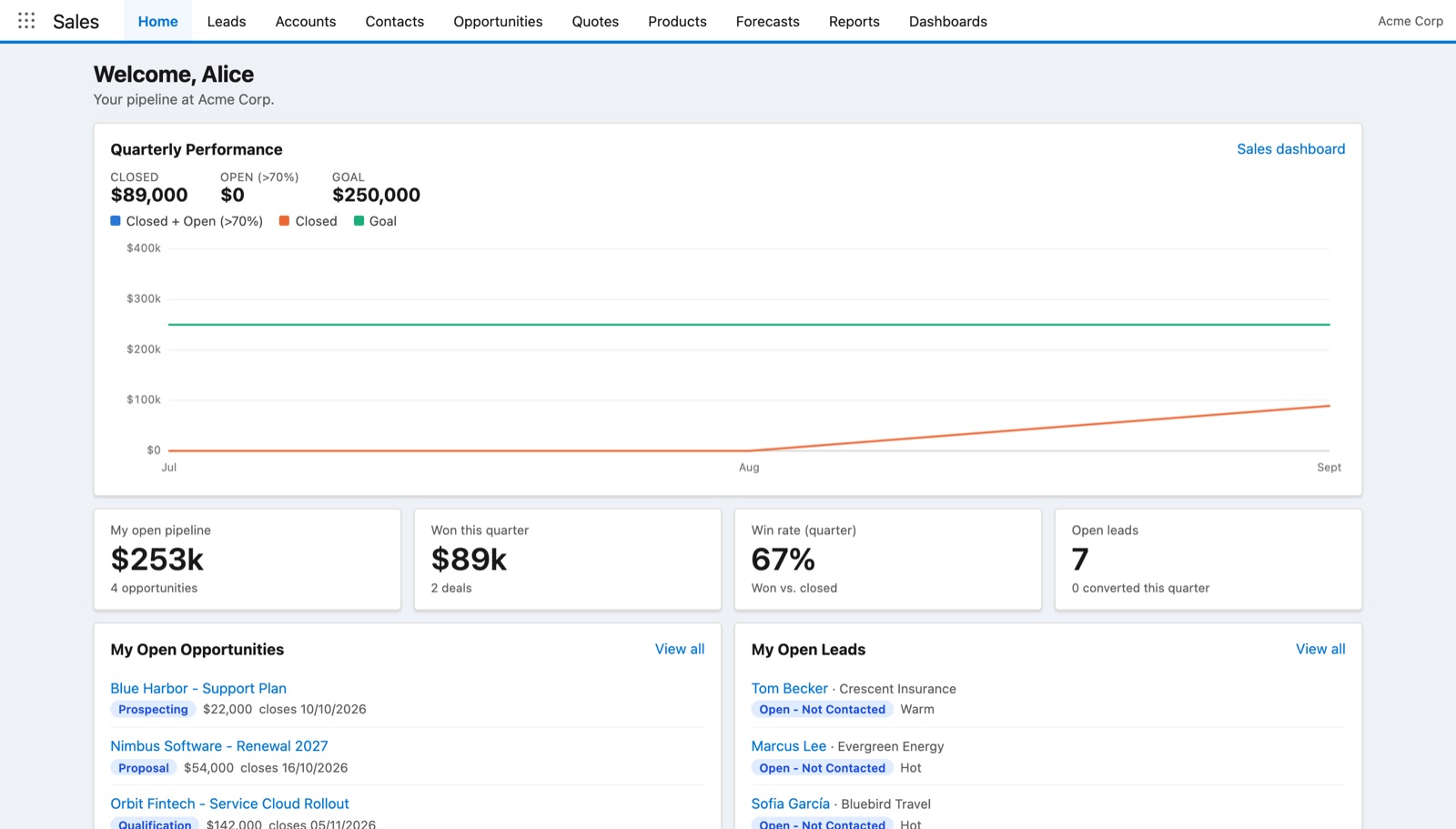
Reports and dashboards for queues, SLAs, chat performance, pipeline and quarterly results.
A built-in MCP server lets Claude and other AI assistants read and update your CRM, with your permissions.
Customer service
Customers reach you however they like. CRMSix turns each request into a case, routes it to the right people and keeps the clock honest.
Sales
Give reps one place to work their pipeline, and give managers numbers they can trust.
Quote to cash
An accepted quote becomes an order, an invoice and a payment, with every step on the customer’s record.
Send a quote for signature. Customers sign on a private page, and the signed PDF and certificate of completion are saved to the quote.
An accepted quote becomes an order with its products and prices, and the deal is marked won.
Gap-free invoice numbers, CGST, SGST or IGST worked out for you, a PDF and a link customers can open, and automatic reminders.
Customers pay from the invoice link with UPI, cards or net banking through Razorpay, or by card through Stripe. Payments are recorded on their own.
Contracts with a term, a billing schedule that raises invoices on its own, and renewals that happen automatically when you want them to.
Credit all or part of an invoice with the right tax, then refund the customer through Razorpay or Stripe, or record a refund made by bank transfer.
Platform
Admins can automate processes and tailor the data model in minutes, with point-and-click setup instead of code.
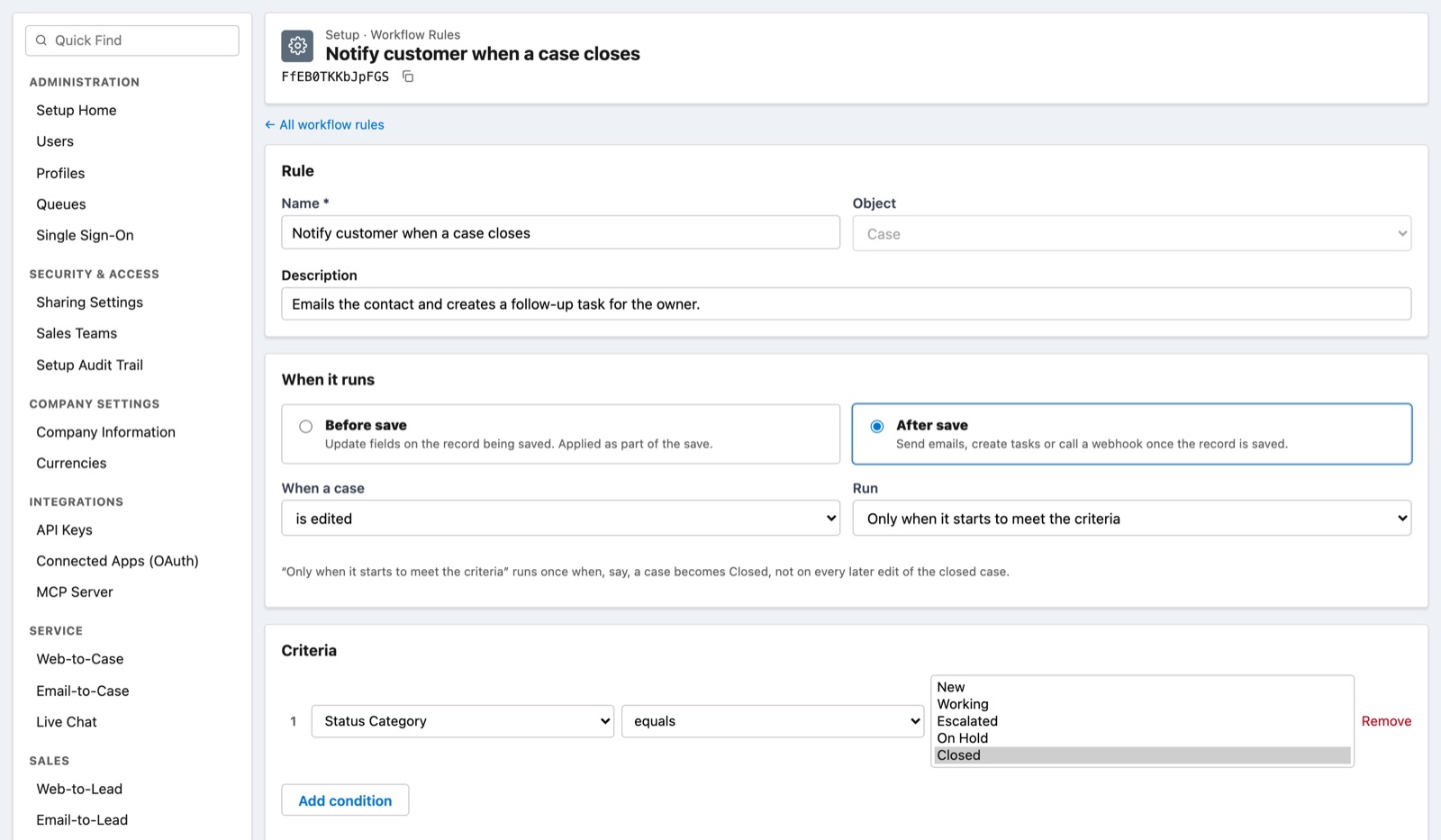
When a record is saved, update fields, send emails from templates, create tasks or call a signed webhook, straight away or later.
Calculated fields like weighted amount or days to close, written in a familiar spreadsheet-style formula language.
Stop bad data at the door with rules that explain exactly what needs fixing before a record can be saved.
Add fields to cases, leads, opportunities, accounts and contacts, and manage your own statuses, stages and sources.
Reusable emails with merge fields for replies, notifications and automated follow-ups.
A documented REST API with API keys and OAuth apps, plus CSV import, so CRMSix fits into the rest of your stack.
AI built in
CRMSix includes an MCP server, the open standard AI assistants use to connect to tools. Connect Claude and other assistants in a couple of clicks, and they can look things up and get work done for you.
→ crmsix · list_cases
→ crmsix · create_task
Security and administration
Every organization’s data is isolated, and admins stay in control of who can see and change what.
Each organization’s records are separated in the database itself, not just in the app, with row-level security on every query.
Sign in with your identity provider over OpenID Connect, such as Okta, Microsoft Entra ID or Google.
Agent, manager and admin profiles, plus team-based sharing for leads and opportunities.
Every change in Setup is recorded with who made it and what changed, along with each user’s login history.
API keys and OAuth apps that can be limited to read-only, revoked at any time and tracked by last use.
CRMSix is served over HTTPS only, and secrets such as SSO credentials are encrypted at rest.
Pricing
Pay for each user, per month. Choose monthly billing, or save by paying annually.
Cases, contacts and a shared inbox for small teams.
$12 per user / month
Billed annually: $144 per user a year
Book a demoMost popular
Service and sales together, with automation.
$32 per user / month
Billed annually: $384 per user a year
Book a demoControl, security and integrations at scale.
$55 per user / month
Billed annually: $660 per user a year
Book a demoPrices in US dollars, excluding tax. Annual plans are billed 12 months in advance. Add users at any time and pay only for the rest of your billing period.
Tell us how your team works today, and we’ll walk you through CRMSix set up the same way.